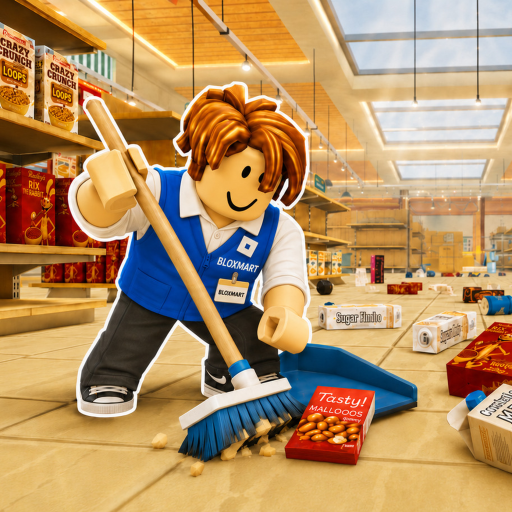
Superstore Tools
Starter item reference

Clean The Superstore Items, Signs & Rewards

Use the label in your hands and the signs over each shelf. This guide teaches the matching method and shows a small set of examples from the exact Roblox experience—not a borrowed list from a similarly named game.

Quick answer

Read, route, check, then place

  1. 1. Read the held item. The item name is the fastest clue. If you are carrying several items, use the scroll wheel to cycle until you can read the one you want to route.
  2. 2. Find the broad category. Hanging signs divide the store into useful areas. In the observed produce example, the current category reads Fruits & Vegetables.
  3. 3. Check the exact shelf sign. A broad area narrows the search, but the shelf still has to match. Tomato does not belong on a shelf marked Watermelons.
  4. 4. Place and watch the feedback. Click to place. If the game says Wrong Place, keep the item, reread the sign, and move to the next plausible shelf.
Observed examples

Labels visible in the exact game

These four entries are a starter set checked on July 15, 2026. They show how the lookup method works; they do not define every possible item or shelf.

Fruits & Vegetables

Seen in gameplay

Category label

Shown as the current held-item category in recent gameplay from the exact place.

Tomato

Seen in gameplay

Held item

The held-item label Tomato is visible in the same exact-place footage.

Pears

Seen in gameplay

Shelf sign

A shelf sign marked PEARS is visible in the produce area.

Watermelons

Seen in gameplay

Shelf sign

A nearby shelf sign marked WATERMELONS is visible; aiming a Tomato there produces Wrong Place feedback.

Points and upgrades

What a correct placement is working toward

The official description says filling shelves earns points and players can buy upgrades. That establishes the reward loop, but it does not tell us a universal points-per-item rate, upgrade price, level curve, or effect. For that reason, this page does not attach a made-up reward number to Tomato—or to any other observed label.

If you are choosing what kind of improvement matters most, use the role-first priority guide. It compares accuracy, routing, capacity, and team splitting without pretending those are confirmed upgrade names.

Compare cleanup priorities →
When you get stuck

Three checks before dropping the item

  • Check the selected item. Scrolling can change which carried product is active.
  • Read beyond the broad category. Produce contains several shelf signs, so the category alone is not enough.
  • Use Q only when you mean to drop. The official controls say Q drops the held item; clicking is the placement action.
Review every verified control →
Questions

Items and shelf matching FAQ

Where does an item go in Clean The Superstore?

Read the held item label, identify its category, then follow hanging and shelf signs until the product name or category matches. Place it only when the shelf is the right one.

Is this a complete Clean The Superstore item finder?

No. The game advertises more than 3,000 misplaced items, while this page lists only a small set of labels that were clear enough to identify.

What does Wrong Place mean?

It means the held item does not match the shelf you are targeting. Recheck both the item label and the nearby shelf sign before trying again.

How do points and rewards work?

The official description says filling shelves earns points and upgrades can be purchased. Exact point rates, prices, and upgrade effects are not listed here because they have not been confirmed.

Next action

Move from lookup to a smoother run