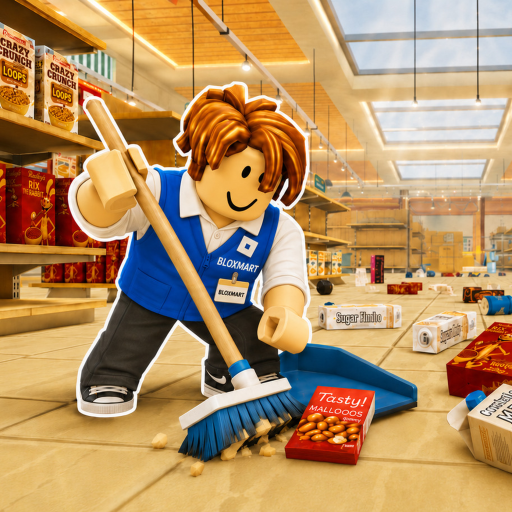
Superstore Tools
Beginner guide

Clean The Superstore Beginner Guide

A practical first-run walkthrough for picking up misplaced items, reading aisle signs, placing items correctly, and avoiding unnecessary backtracking.

Current guideclean the superstore beginner guidehow to play clean the superstoreclean the superstore tips
Walkthrough

Read this before you act

Start with the player task, then use the steps and stuck-state checks below when the route is not working.

Understand the objective

The official description says the superstore contains more than 3,000 misplaced items. Your job is to follow store signs, return items to the correct shelves, earn points, and use upgrades as they become available. A timer and global leaderboards make route efficiency useful, but your first goal should be consistent correct placements.

Read the held item and nearby signs

Before crossing the store, identify the item or category you are carrying and scan shelf labels. Exact-place footage shows labels such as Fruits & Vegetables, Tomato, Pears, and Watermelons. Those examples are observations, not a complete item catalog. Use the labels in your current server as the deciding evidence.

Build a repeatable route

Collect a manageable group of items, move toward their matching area, place them, and then choose the next nearby group. Repeatedly crossing the full store for one item wastes more time than a short category-focused loop. In co-op, agree on zones so two players do not chase the same shelves.

Quick answer

What to do first

Pick up a manageable set, read each item label, follow the matching store signs, click to place, and return for the next nearby category. Accuracy comes before speed.

Step-by-step

Follow this route

Use the checklist in order when you want a direct path instead of general tips.

  1. 1. Check what you are holding

    Look at the current item or category before moving away from the pickup area.

  2. 2. Find the matching sign

    Scan aisle and shelf labels. Do not rely on color or shape when a readable label is available.

  3. 3. Place and confirm

    Click at the matching shelf. If the game displays Wrong Place, stop and re-read both labels instead of clicking repeatedly.

  4. 4. Repeat by area

    Favor the next nearby category. In a group, keep each player responsible for an agreed zone.

If you're stuck

Fix the common roadblocks

Use these checks when the guide route is not working in your current session.

Item will not place

Move closer, aim at the intended shelf, and compare the held item with the sign. Wrong Place means the target does not match.

Holding the wrong item

Use the scroll wheel to cycle held items or press Q to drop the current item, as stated in the official controls.

Team keeps crossing paths

Pause and assign store areas. Use the squad planner to balance a rough workload before restarting the route.

Avoid this

Common mistakes

Most wasted progress comes from rushing codes, upgrades, or match decisions before checking the immediate payoff.

Guessing from appearance

A similar-looking shelf can still be wrong. Read the item and sign text.

Taking one-item trips

Single long trips increase travel overhead. Group nearby destinations when you can do so without confusing labels.

Treating an estimate as a promise

The cleanup calculator is a planning model. Your layout, server, upgrades, and familiarity can change the actual time.

FAQ

Quick answers

What is the goal in Clean The Superstore?

Return more than 3,000 misplaced items to the correct shelves, earn points, and improve your run. The official description also confirms upgrades, a timer, and global leaderboards.

Can I play Clean The Superstore with friends?

Yes. The official Roblox description says you can clean solo or with friends.

What does Wrong Place mean?

Exact-place footage shows this feedback when an item is aimed at a nonmatching shelf. Re-check the held item and shelf sign.

How should beginners get faster?

Improve matching accuracy first, then reduce long single-item trips and use simple area assignments in co-op.

Next checks

Use these pages before acting

Open the next page that matches what you are trying to do in-game.